What does Devora actually do?⌄
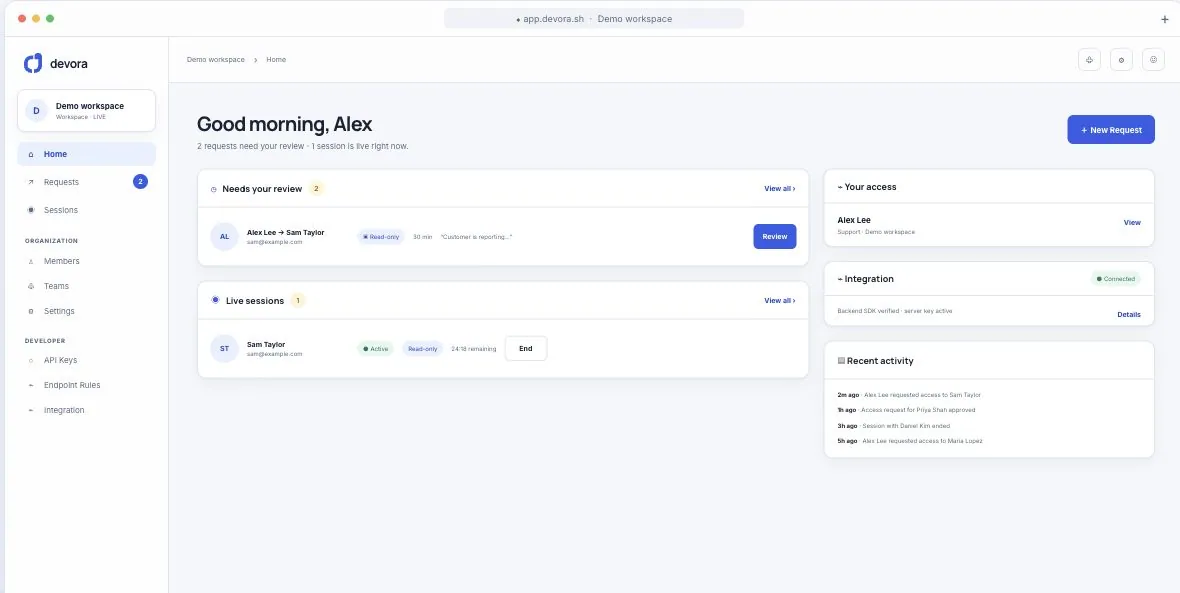
Devora lets an authorized teammate open your SaaS application as a customer to investigate an issue, without asking for the customer's password. It gives your team a shared workspace to request and approve access, limit what can be changed, end sessions, and review who accessed which account and why.
Will the customer notice, or get logged out?⌄
The staff member gets their own separate session for that account. Devora does not use or end the customer's own login, and it sends nothing to the customer. What the customer can see afterwards depends on what the agent does. A session limited to viewing changes no data, while a write session makes real changes in the account. Devora records who accessed the account, with what scope, and when. Your organization decides whether and how to tell customers about staff access.
Our auth provider already supports impersonation. Why add Devora?⌄
Your provider's impersonation feature may already be enough. Devora is useful when you also want a shared request and approval queue, read and write rules, active session controls, access history, and optional recordings in one place. Your provider still creates the app session. Devora adds the workflow around staff access. Compare your existing setup with those needs before adding another tool.
Why use Devora instead of building or using open source?⌄
A custom tool or an open source library can be a good fit when your team wants to own the implementation. Devora gives you a maintained workspace for requests, approvals, session controls, and access review. You still integrate your app, but you spend less effort building those internal workflows and their interfaces. The decision is whether you want to maintain that tooling alongside your product.
Do we have to replace our authentication?⌄
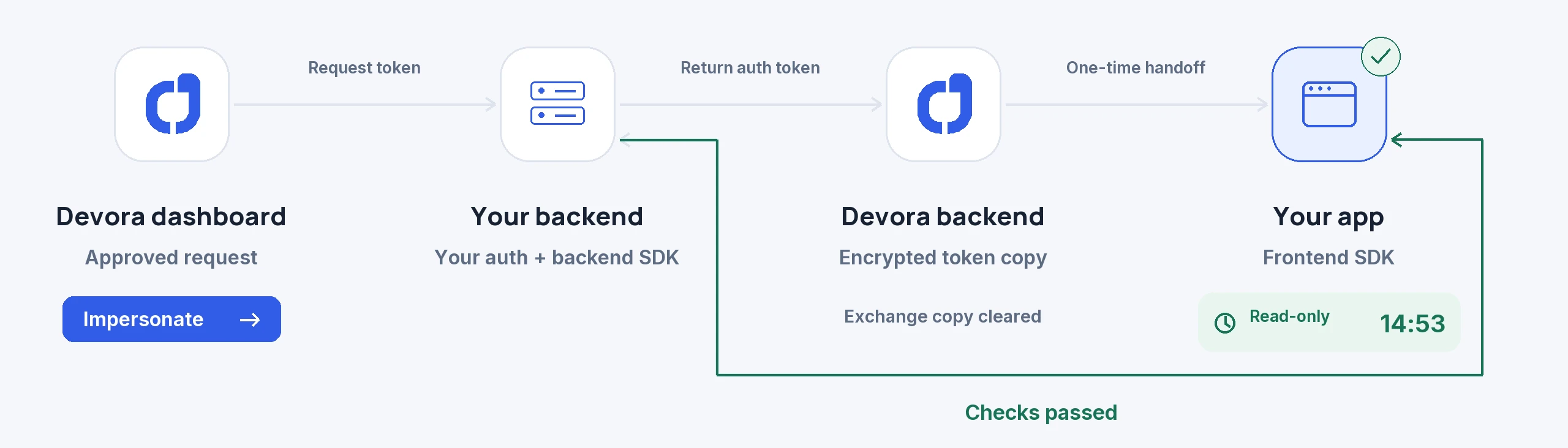
No. Devora works alongside your authentication. Your backend looks up users and creates and revokes the impersonation credential. Devora manages requests, approvals, and session oversight. The integration depends on your provider: check the support guide before you start, especially for Auth0 and WorkOS AuthKit.
What does a developer need to implement?⌄
Connect the backend and frontend SDKs. On the backend, implement user search, user lookup, session creation, and session termination, then apply the scope guard to authenticated API routes. On the frontend, connect the login and session end callbacks. Configure keys, allowed origins, and endpoint rules in Devora. This is an application integration and needs testing before staff use it with real customers.
Can we stop staff from changing customer data?⌄
Yes. Choose scope that allows viewing without changes and enforce it through the integrated backend guard. Write requests are blocked unless you explicitly allow an exception. Sensitive endpoint rules can block actions in both read and write sessions. Your developer must protect the relevant API routes and review their behavior. Hiding a button alone is not an access control.
What customer information does Devora retain?⌄
Devora retains an encrypted customer ID and, when supplied, encrypted name and email fields to identify the account in the access workflow. It also stores request and session records, such as the staff member, access reason, scope, approval decisions, and timestamps, along with team and project settings. The login token payload is encrypted and held temporarily for the handoff. Your integration may send extra handoff information. Keep that to what your app needs. Optional recording or activity capture adds further data when enabled.
Is every session recorded?⌄
No. Recording and activity capture are optional and disabled by default. An administrator chooses the capture and masking settings; recording starts with full masking by default. You can use requests, approvals, session controls, and access history without recording customer screens.
Does Devora store the login token from our backend?⌄
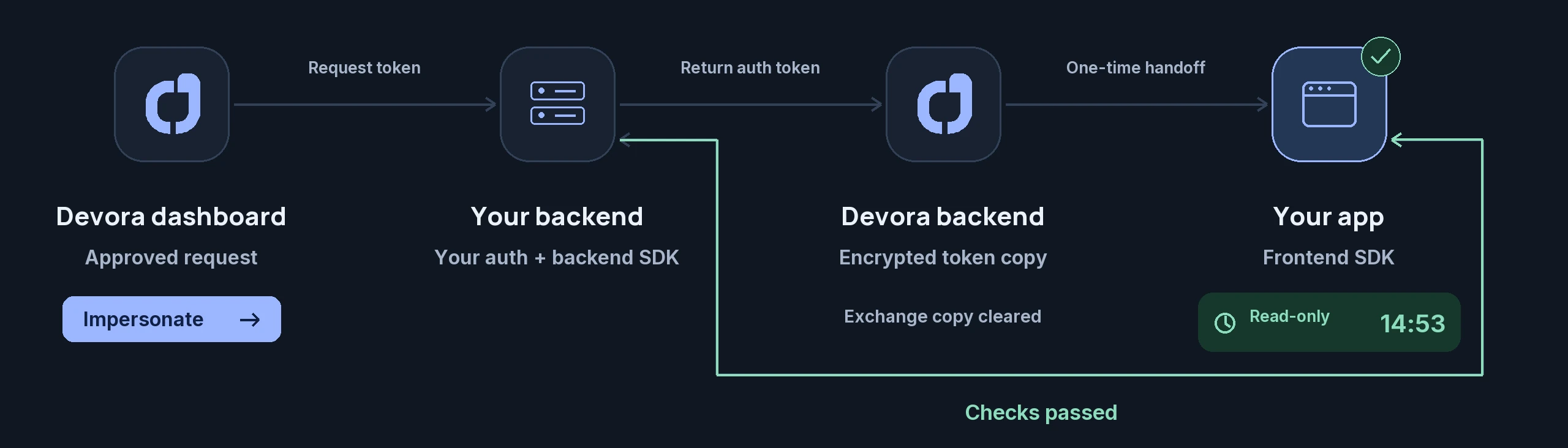
Temporarily, in encrypted form. Your backend creates the impersonation token, and Devora stores an encrypted copy for the handoff to your frontend SDK. The handoff can be redeemed once. After successful redemption, Devora clears the temporary database copy before returning the token. Customer identity and access history records are retained separately. Devora does not ask for your customer's password.
 devora